

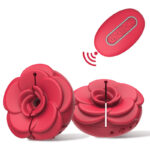
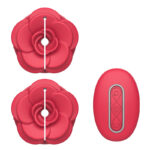
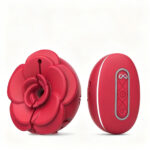
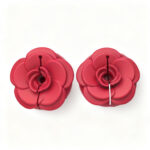
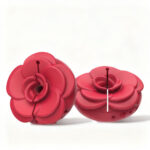

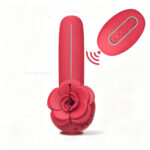
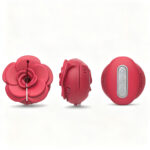
Camellia App-Controlled Vibrating Nipple Clamps
Some evenings call for a slower kind of attention. The Camellia clamps rest against sensitive curves like fallen petals, turning anticipation into a quiet, shared ritual.
ways to enjoy camellia
1. Let each sculpted petal settle with the lightest pressure, then gently adjust the fit until it feels like a whispered secret.
2. Open the BINOKU app or take up the wireless remote and choose a vibration pattern, or let a favorite song set the rhythm.
3. Allow the whisper-quiet motor to build in slow waves, sharing control or surrendering it as the evening deepens.
camellia, answered
How do the clamps connect to the BINOKU app?
They pair wirelessly through the BINOKU app, where you can explore saved patterns and adjust intensities from your phone. The included wireless remote offers the same control without needing a screen.
Can a partner control them from far away?
Yes. Because control is handled through the app, a partner can guide the experience from another room or another time zone, turning distance into a slow, shared ritual.
How adjustable is the pressure?
Each clamp is designed with adjustable pressure, so you can begin with a delicate hold and slowly increase it until the sensation feels just right. Always listen to your body and adjust gradually.
specifications
related reads
- Charge fully before first use — USB cable included.
- Apply water-based lubricant for best comfort.
- Power on and explore the intensity levels to find your preference.
- Clean with toy cleaner or warm water and mild soap after each use.
All orders ship in plain, unmarked boxes. Sender shows as "BL Fulfillment" — no brand references.
30-day satisfaction guarantee. Unopened items qualify for full refund.
Need help with a return, warranty claim or your order? Email support@binoku.com — we reply within 24 hours (Mon–Fri).
Brittany K. –
I wanted to love these, and the app patterns are genuinely fun to cycle through with my partner traveling. But the fit took me several tries to get right—even on the lightest setting, the pressure felt like more than I expected, and one side sat unevenly until I adjusted the silicone pads. It’s good quality and the vibration is quiet, just not the easy, set-and-go experience I was hoping for.
Danielle P. –
Honestly, the vibration quality is great and the clamp pressure adjustment is better than I expected. My only gripe is that the app drops connection if I switch to another app for more than a minute, then I have to re-pair from the device menu.
Jenna M. –
These camellia-shaped clamps are the first app-controlled piece I’ve actually left paired to my phone for three weeks straight.
Renee A. –
The outer box had no brand name visible, which I appreciated, and the clamps looked just like the photos. I wasn’t sure the app would add much beyond a standard remote, but after a few weeks I get it. The camellia petal shape gives them a softer look, and the silicone feels smooth without slipping once you dial in the tension. I use the wireless remote for quick sessions and the BINOKU app when I want to set a slower pattern instead of cycling manually. My partner took the remote on a work trip and the long-distance sync worked with only a couple of short delays.
Ariana C. –
Bought these for my wife after she pointed them out, and the sculpted petal edges plus gold-tone accents look even nicer in person. She said the vibration is quieter than our old remote pair, and the app’s pattern syncing made it easy to hand over control from across the room.